Supacolor Soft Shell Blocker Heat Transfer
Supacolor Soft Shell Blocker Heat Transfer


Couldn't load pickup availability

Supacolor Soft Shell Blocker Heat Transfer
🔒 Order with Confidence
🔒 Order with Confidence
🔒 Order with Confidence
✅30-Day Money Back Guarantee — no risk trying it.
🚚Free shipping available. Orders processed within 24–48 hours.
🔐Secure & encrypted checkout with trusted payment providers.

Requires 1-3 business days for processing
Softshell fabrics are one of the most exciting innovations taking the textile industry by storm. You can now impress your customer and print on them with Supacolor Softshell Blocker heat transfers. Sports enthusiasts love these garments because they are weather resistant and designed to deal with the elements like a hard shell, but breath like a fleece. The material is very complex and tricky to print on because it is abrasion resistant, has some stretch, features a water repellant coating, and it dye migrates.
Supacolor’s Softshell Blocker formula combines a high opacity white water-based ink along with our unique Softshell bleed resistant blocking technology to give these premium transfers a powerful, dye inhibiting capability that is exceptional. Not sure if you need to use our Softshell Blocker heat transfer? Apply a Supacolor Test Transfers to a fabric in question to test for migrations issues. If the dye is unstable, you will see the results on the strips. Migration is not always immediately visible and can occur days after heat printing. Due to this, we recommend that you allow the transfer to rest for 4-5 days after pressing to confirm result of the test.
Supacolor gives you the ultimate confidence to advance your printing capabilities and increase your sales by giving you easy solutions to printing on complex fabrics.
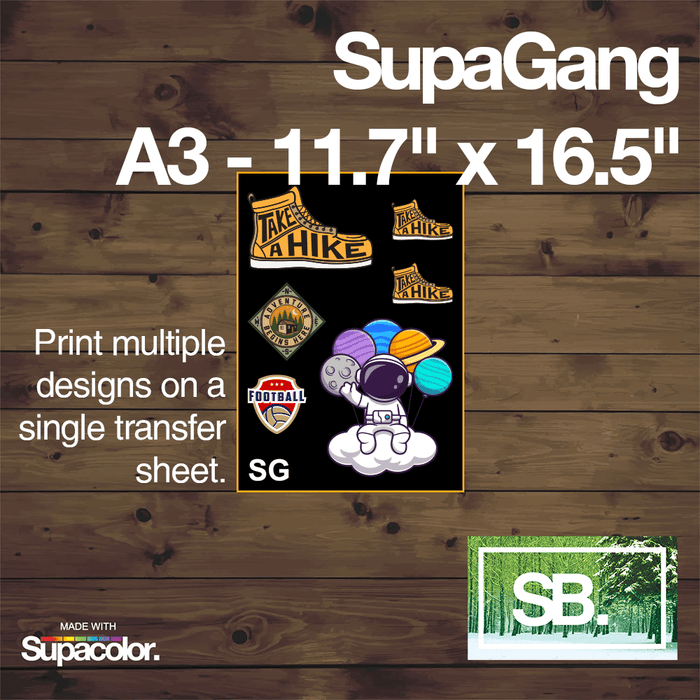
Please note: the SupaGang option allows you to apply multiple images/designs to the transfer at any size and any order as long as they fit on the 11.7" x 16.5" sheet. For all other transfer sizes, you may only apply 1 image/design to the transfer.
Artwork Specifications
Supacolor renders incredible detail with crisp, clean edges in over a million vivid colors and gradients. Here’s how to optimize your files for perfect reproduction.
Get Your Artwork Print Ready:

Make sure free-floating lines are 1pt (0.35 mm) min. |

Convert Fonts to outlines or shapes. |

Save as PDF (Vector files highly suggested). |
Specifications
Vector Art Files
Programs: Adobe Illustrator, Affinity Designer, Silhouette Studio, Corell Draw and others.
- CMYK strongly recommended (RGB will be converted)
- Optional: Pantone (PMS colorbook codes only)
- Convert fonts to outlines
- Convert strokes to objects
- Embed any linked images
- Save as PDF (also acceptable: .ai, .eps)
Raster/Bitmaps Art Files
Programs: Adobe Photoshop, Adobe Fresco, Affinity Photo, GIMP and others.
- CMYK strongly recommended (RGB will be converted)
- 300-900dpi recommended (or send the best you have)
- Use a transparent background for free-floating art
- No fades or glows on free-floating art (Use clipping path to make sharp edges)
- Save as PDF (also acceptable: .psd, .tiff, .eps, .png, .jpg)
Supacolor Terms and Services
===
tab_instructions
Application Instructions
- Place Supacolor transfer on garment
- Cover with Pro Grade Non-Stick Parchment Paper
- Apply design at 290°F/140°C
- Use firm pressure for 8-10 seconds
- Peel hot immediately
- Cover transfer again with parchment paper
- Post-press for 2 seconds to seal edge of transfer
*These instructions are your default starting point, settings may vary for different garments and presses.*
===
tab_templatenobutton
Design Templates
We have made working out what size Supacolor you need and preparing your art Supaeasy with our art templates. Simply choose the size transfer you like, click the corresponding link below, and .zip file containing the templates will download automatically. We have included templates for Illustrator, Photoshop and a PDF.
Please note: the SupaGang option allows you to apply multiple images/designs to the transfer at any size and any order as long as they fit on the 11.7" x 16.5" sheet. For all other transfer sizes, you may only apply 1 image/design to the transfer.
- XS - 1.5" x 1.5"
- SM - 2.5" x 2.5"
- LC - 4" x 4"
- A5 - 8.3" x 5.8"
- A5 Long - 11.7" x 4.25"
- A4 - 11.7" x 8.3"
- A4 Long - 5.85" x 16.5"
- SQ - 11.7" x 11.7"
- A3 - 11.7" x 16.5"
- A5 SupaGang - 8.3" x 5.8"
- A4 SupaGang - 11.7" x 8.3"
- A3 SupaGang - 11.7" x 16.5"